
Screenshots
About Anatomy Learning - 3D Anatomy Atlas
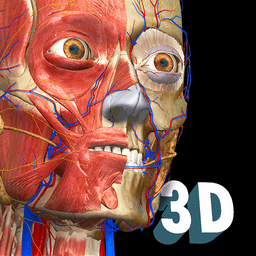
Master human anatomy with Anatomy Learning - 3D Anatomy Atlas, the interactive 3D learning app that brings every bone, muscle, and organ to life on your screen.
Study anatomy like never before using an advanced interactive 3D interface. Rotate models freely to examine structures from every angle, zoom in for detailed inspection, and manipulate the view exactly as you need. Remove layers systematically to reveal underlying anatomical structures, transforming a flat textbook experience into true three-dimensional exploration.
Take control of your learning by toggling individual anatomy systems on and off. Focus on the skeletal system one moment, then isolate the circulatory network the next. Comprehensive coverage includes bones, ligaments, joints, muscles, arteries, veins, the heart, nervous systems (both central and peripheral), sense organs, respiratory, digestive, urinary, and reproductive anatomy—with both male and female reproductive systems fully represented.
Test your knowledge with interactive 3D location quizzes that challenge your spatial understanding and retention. Rather than memorizing flat diagrams, you'll develop genuine anatomical intuition by identifying structures in their proper three-dimensional context.
Learn in your preferred language: Spanish, French, German, Polish, Russian, Portuguese, Chinese, and Japanese are all supported, making this resource accessible to students worldwide.
Whether you're preparing for medical school, nursing exams, or simply deepening your understanding of human biology, Anatomy Learning - 3D Anatomy Atlas delivers the interactive, visual learning experience anatomy demands.
Pros & Cons
Pros
- Rotate, zoom, and manipulate 3D models freely from all angles
- Layer removal reveals underlying structures for deeper anatomical understanding
- Toggle individual body systems on and off to focus your study
- Interactive 3D quizzes test spatial knowledge rather than flat memorization
- Supports eight languages including Spanish, French, German, and Chinese
Cons
- Requires consistent internet connection for full app functionality
- 3D rendering and model manipulation may drain battery during extended study sessions
- No mention of offline mode limits usability in areas with poor connectivity
- Learning curve required to master 3D navigation and layer manipulation controls
Related Apps

African Grey Parrot Sounds
AKAD Tech
African Grey Parrot Sounds — authentic recordings of Congo grey and Timneh parrots

Educate Magis
Educate Magis
Connect with Jesuit educators worldwide—share insights, access global stories, and collaborate internationally.

PSeInt
Pseudocode programming editor for beginners to learn coding logic and algorithms.

Tracker
Physics video analysis and modeling tool for educators and students — track motion, analyze data, run simulations.

CmapTools
Concept mapping software to visualize ideas, connect concepts, and collaborate in real time with multimedia support.

CADe SIMU
Circuit simulation for electrical engineering students — design and test electrical schemas with CADe SIMU.
Latest Articles
Best AI computer-use agent apps for desktop in 2026 (we tested 7)
Jul 10, 2026
Best apps for a fresh Linux install in 2026 (7 picks the first hour)
Jul 10, 2026
Best apps for AI coding agent sandboxing on desktop in 2026 (we tested 7)
Jul 10, 2026

Best apps for detecting AI-generated images on Android in 2026 (we tested 7)
Jul 10, 2026
Best apps for detecting AI-generated images on desktop in 2026 (we tested 8)
Jul 10, 2026